

Tired of manual data entry slowing down your commercial real estate team? Discover how a simple browser extension can revolutionize your workflows with one-click listing extraction, enhancing efficiency, ensuring privacy, and keeping you ToS compliant.
Unlock CRE Productivity: Top 5 Reasons Your Team Needs One-Click Listing Extraction
Commercial real estate (CRE) professionals know the relentless grind of manual data entry. Imagine sifting through countless listing sites, copying addresses, prices, and property details one by one. This repetitive, often tedious work drains valuable time, introduces errors, and pulls teams away from their core mission: closing deals and nurturing client relationships. Such tasks can feel soul-crushing, turning what should be strategic work into a never-ending cycle of copy-pasting.
This persistent struggle siphons time away from high-value activities. It also creates a breeding ground for inaccuracies, directly impacting analysis and presentation quality. Luckily, a better way exists. Browser extensions designed for automated data extraction are changing how CRE teams operate. This article explores the top five compelling reasons your CRE team should adopt this technology, focusing on the remarkable benefits of "one-click listing extraction" for enhanced "efficiency" and growth.
The Hidden Costs of Manual CRE Data Extraction
Manual data extraction carries significant, often unseen, costs. Teams waste countless hours each week on repetitive tasks, time better spent on market analysis or client engagement. This constant copy-pasting leads to employee burnout and frustration. It also creates data inconsistencies, leading to missed opportunities when critical information is incomplete or incorrect. Relying on outdated methods is not merely inconvenient; it represents a major drag on your team's overall "efficiency" and potential.
Top 5 Reasons Your CRE Team Needs a Browser Extension for Listing Extraction
1. Unmatched Efficiency with One-Click Listing Extraction
The most direct benefit of a specialized browser extension is the sheer boost in "efficiency." "One-click listing extraction" fundamentally changes how teams gather property data. Instead of spending hours meticulously copying details, users simply click an icon. Instantly, the extension captures structured data from the listing page. This includes crucial information like the property address, asking price, cap rate, lease rate, broker contact details, and even images.
Consider the time savings. What once took minutes per listing now takes seconds. This dramatic reduction in data collection time allows CRE professionals to dedicate more energy to analysis, client interactions, and strategic deal-making. Tools like PropQwik take this a step further. They automate image capture and background extraction seamlessly while users switch between tabs, making the data acquisition process even faster and more fluid. This kind of speed is not just a luxury; it is a competitive advantage.
2. Ensuring Data Privacy & Security, Locally Processed
Many professionals worry about where their sensitive data goes when using extraction tools. This concern about "data privacy" and "data security" is valid. The best browser extensions address this by processing data locally. This means no information leaves your computer to be stored on third-party servers. Your extracted data remains securely within your browser environment.
This local processing model prioritizes user control. You maintain full ownership and oversight of the data you extract. Reputable tools, such as PropQwik, build "privacy" into their core design. They do not send your extracted information to external servers for processing or storage. This approach significantly reduces the risk of data breaches or unauthorized access, building trust and safeguarding sensitive property details.
3. Seamless ToS Compliance & Ethical Data Sourcing
Operating within legal and ethical boundaries is critical for any professional organization. Website "Terms of Service" (ToS) often prohibit aggressive data scraping that could harm site performance or copyright. Well-designed browser extensions for CRE data extraction respect these boundaries. They only read and extract publicly visible data directly from the webpage.
This method ensures "ToS compliance" and promotes ethical data sourcing. These tools do not attempt to bypass security measures or overwhelm servers. Instead, they act like a human user reading information, only much faster. This careful approach helps protect your team and brokerage from potential legal issues, account bans, or reputational damage often associated with illicit scraping activities. It is about working smarter and staying compliant.
What is the difference between data extraction and data scraping in commercial real estate?
Data extraction, especially with tools like browser extensions, focuses on getting publicly visible, structured data from a single page with user interaction, respecting website terms. Data scraping often involves automated bots systematically harvesting large volumes of data across many pages, potentially violating terms of service and stressing servers. Ethical tools prioritize extraction over scraping.
4. Streamlined Team Workflows & Collaboration
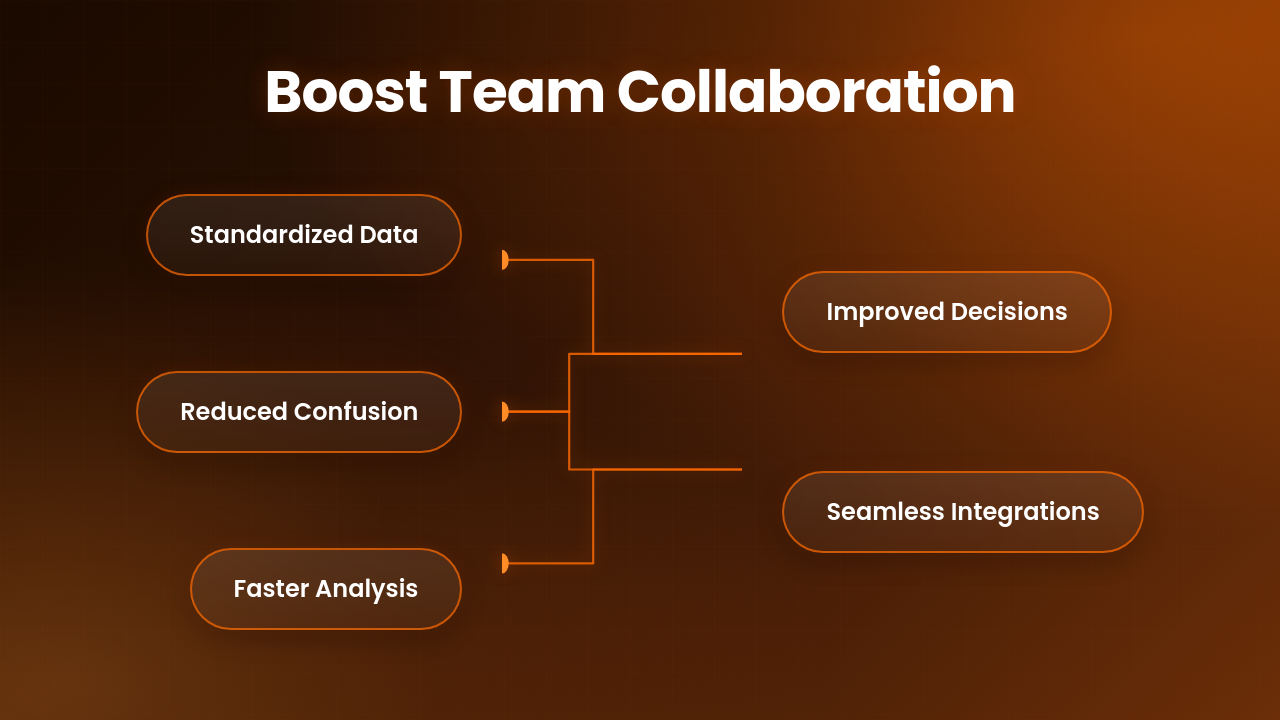
Effective team collaboration relies on consistent, accessible data. Browser extensions for listing extraction greatly improve "team workflows" by standardizing data collection. When everyone uses the same tool to extract information, the resulting data is uniform and structured. This consistency makes sharing, analysis, and collaboration across the team much smoother.
Consider the benefits of structured data:
- Reduced Confusion: Everyone works from the same data format, minimizing misunderstandings.
- Faster Analysis: Data is ready for immediate use in spreadsheets or reports.
- Improved Decision-Making: Consistent information leads to more reliable insights.
Features like Google Sheets sync (available through PropQwik's Connectivity add-on) and Google Drive auto-save for presentations further enhance this. These integrations ensure that all team members have access to the most current, consistent information, eliminating bottlenecks and boosting overall team "productivity."
| Feature | Manual Data Extraction | One-Click Listing Extraction |
|---|---|---|
| Time Spent | Hours per task | Seconds per task |
| Data Consistency | Prone to errors, variable formatting | Standardized, structured data |
| Compliance Risk | Moderate (human error, non-compliance with data storage) | Low (ToS compliant, local processing) |
| Team Efficiency | Low, bottlenecks common | High, streamlined workflows |
| Focus | Data entry, administrative tasks | Client relations, deal analysis, strategic work |
| Image Handling | Manual download and upload | Automatic capture and organization (e.g., PropQwik) |
5. Focus on Deals, Not Data Entry
Ultimately, the core mission of CRE professionals revolves around identifying opportunities, building relationships, and closing deals. Manual data entry diverts critical resources from these high-value activities. By freeing up time from repetitive data collection, teams can strategically shift their focus. They can dedicate more energy to lead generation, deeper market analysis, and nurturing vital client relationships.
This strategic shift means more time for what truly matters:
- Proactive Prospecting: Finding new clients and opportunities.
- In-depth Analysis: Understanding market trends and property valuations.
- Client Engagement: Building stronger rapport and delivering tailored advice.
A browser extension acts as a force multiplier, allowing professionals to do what they do best – strategize and execute. It moves the team from administrative tasks to strategic actions, directly contributing to more transactions and business growth.
PropQwik: Your Team's Accelerator for CRE Success
PropQwik offers a prime example of a solution embodying all these benefits. It is a powerful browser extension built specifically for commercial real estate professionals. PropQwik streamlines "one-click listing extraction," capturing all relevant property data swiftly. It also features automatic image capture and background extraction, ensuring your visual assets are always ready. Its Gamma AI-powered PowerPoint generation can turn raw data into client-ready presentations in mere seconds. Add property notes and tracking, and you have a comprehensive tool that transforms data collection into a significant competitive advantage for your team.


Conclusion & Your Next Strategic Move
Adopting a browser extension for listing extraction is no longer a luxury; it is a necessity for modern CRE teams. It provides unmatched "efficiency," ensures vital "data privacy" and "security," guarantees "ToS compliance," and drastically improves "team workflows." Most importantly, it allows your team to redirect its focus from tiresome data entry to high-impact deal-making. Stop wasting valuable time and resources on manual tasks. Explore PropQwik's capabilities today. Sign up for the 7-day free trial and experience an immediate elevation in your team's "efficiency" and capacity for growth.
Frequently Asked Questions (FAQs)
1. How does one-click listing extraction improve CRE productivity?
One-click listing extraction significantly speeds up data gathering. It takes seconds to capture property details, images, and other critical information from listing websites. This efficiency means CRE professionals spend less time on manual entry and more time on analysis, client interaction, and closing deals, directly boosting overall team "productivity."
2. Is using a browser extension for data extraction legal and compliant with website terms?
Yes, when using a well-designed browser extension like PropQwik. These tools are built to comply with website "Terms of Service" by only extracting publicly visible data. They do not perform aggressive scraping that could violate terms or stress servers. This approach ensures ethical data sourcing and helps avoid legal issues or account bans.
3. What about the privacy and security of my extracted CRE data?
Reputable browser extensions prioritize "data privacy" and "data security" by processing information locally within your browser. This means your extracted data does not get stored on third-party servers. You maintain full control over your information, reducing the risk of data breaches and ensuring sensitive property details remain secure on your system.
4. Can these extensions help with team collaboration and data sharing?
Absolutely. Browser extensions standardize the format of extracted data, making it consistent and easy to share across your team. Features like integration with Google Sheets or Google Drive, as offered by PropQwik, allow for seamless collaboration. Everyone accesses up-to-date, structured information, improving "team workflows" and decision-making.
5. How does automating data entry help my CRE team focus on deals?
By eliminating the need for manual data entry, automation frees up substantial time. Your team can then redirect this time to core business activities like lead generation, deeper market research, client relationship management, and property negotiations. This shift allows professionals to concentrate on strategic actions that directly contribute to securing and closing more deals.
6. What kind of data can I extract using a one-click solution?
A typical one-click listing extraction tool can capture a wide range of data. This includes property addresses, listing prices, lease rates, cap rates, property descriptions, broker contact information, listing images, and key property features. The goal is to get all necessary details for analysis and presentation quickly and accurately.
7. Is a browser extension easy to use for everyone on the team?
Yes, most modern browser extensions are designed for ease of use. They typically involve installing the extension and clicking a single button or icon on a listing page. The user interface is usually intuitive, requiring minimal training. This simplicity ensures rapid adoption and consistent usage across your entire CRE team, regardless of their technical skill level.