

Tired of manual copy-pasting from LoopNet? Discover how PropQwik, your new Chrome extension for CRE, lets you extract property data and generate client-ready PowerPoint presentations in under a minute. Revolutionize your workflow and focus on closing deals.
Introduction: The 60-Second Revolution for CRE Professionals
Commercial real estate professionals often face a familiar, frustrating routine. Hours vanish manually copying data from online listings. Building client presentations means sifting through screenshots, retyping details, and then endlessly formatting slides. This manual labor is not just time-consuming; it also opens the door to costly errors, taking valuable time away from actual deal-making.
The traditional process for extracting property data from LoopNet to PowerPoint is inefficient and prone to mistakes. It drains your productivity. Imagine a better way – a solution that streamlines this entire workflow. PropQwik arrives as that definitive, lightning-fast answer. This powerful PropQwik LoopNet extractor changes how you work. You will soon discover how to accomplish this crucial task in merely 60 seconds.
The Agony of Manual Data Extraction: Why Your Workflow Needs an Upgrade
Think about the hours you currently spend on repetitive tasks. Copying specific fields like an an address, price, cap rate, lease rates, or broker contact information eats into your day. Even legal descriptions often require careful manual transfer. This time could be spent engaging clients, analyzing markets, or securing new listings. Instead, it vanishes into tedious data entry.
Accuracy suffers too. Human error is an unavoidable part of manual data input. A misplaced digit in a cap rate or a wrong lease figure can drastically alter financial analysis. Such mistakes lead to flawed presentations and potentially misinformed investment decisions.
Presentation building becomes another source of frustration. Manually capturing screenshots, resizing images, and aligning text on slide after slide feels like an endless chore. Creating a client-ready deck demands precision and time you simply do not have. This administrative burden distracts you from core activities like client engagement and closing deals. Many professionals search for a more efficient way to extract property data from LoopNet to PowerPoint. PropQwik offers the essential tool to overcome these daily challenges, directly addressing that need.
Introducing PropQwik: Your Chrome Extension for Seamless LoopNet Data Extraction
PropQwik is a purpose-built Chrome extension for CRE professionals. It streamlines data acquisition. We designed it specifically for commercial real estate. PropQwik works simply: a single click extracts structured, publicly visible property data from supported listing websites. Its primary focus is on LoopNet, a vital resource for many in the industry.
Imagine visiting a property listing on LoopNet. With PropQwik installed, you click an icon, and the extension instantly gathers the key details. This includes everything from property specifics to broker contacts. This method drastically cuts down on manual effort. It also improves the accuracy of the data you collect. The immediate benefits are clear: significant time savings, reduced workflow friction, and enhanced data reliability. PropQwik stands as the premier PropQwik LoopNet extractor, built to make your work easier.
How to Extract Property Data from LoopNet and Generate a PPT in 60 Seconds (A Step-by-Step Guide)
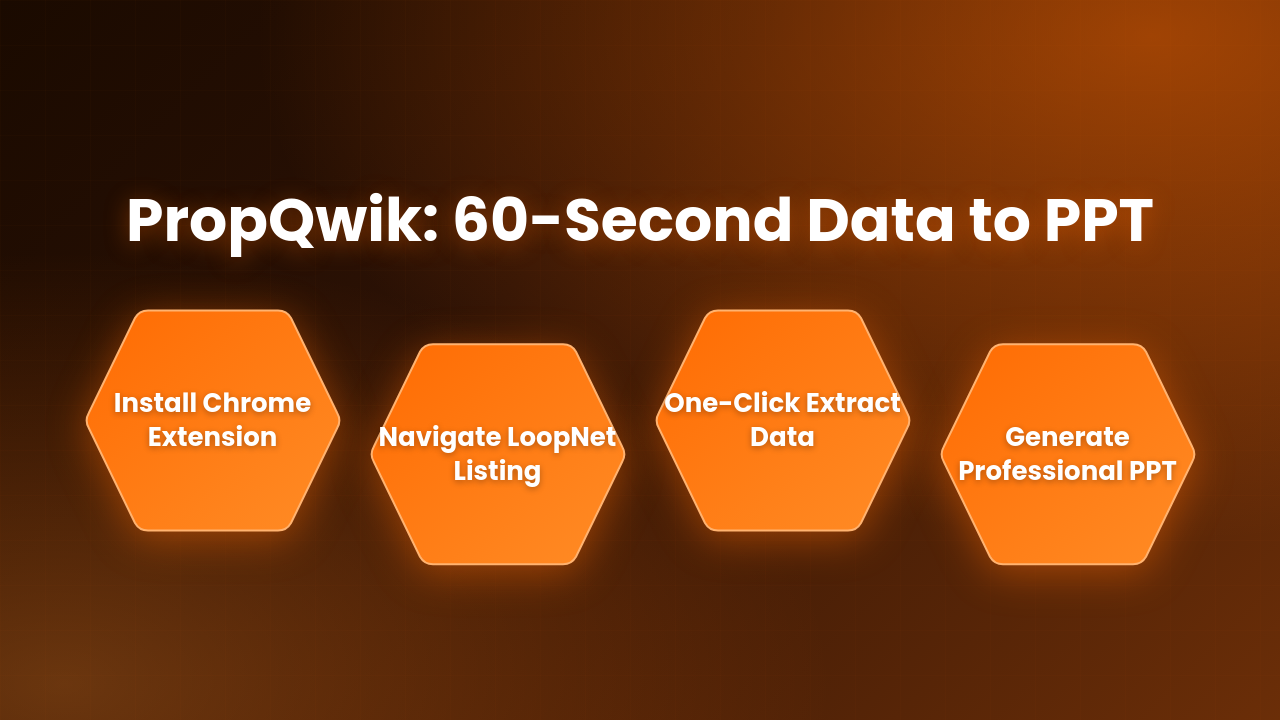
Performing this task quickly is simpler than you might think.
Step 1: Get PropQwik
First, install the PropQwik Chrome extension for CRE. Visit the Chrome Web Store (or Edge Add-ons store). Search for "PropQwik." Click "Add to Chrome" (or Edge). The installation takes only moments. A new PropQwik icon will appear in your browser's toolbar.
Step 2: Navigate to LoopNet
Next, open your browser and go to LoopNet. Browse to any commercial property listing page you want to extract data from. You will see all the property details on the screen.
Step 3: One-Click Extraction
With the LoopNet page open, simply click the PropQwik icon in your browser toolbar. PropQwik instantly captures comprehensive details. This includes the full address, listing price, estimated cap rate, lease rates, broker contact information, and the entire listing description. It also collects all available listing images. The data is pulled directly and quickly.
Step 4: Generate Your Professional PowerPoint
After extraction, a prompt appears. You can choose to generate a client-ready PowerPoint presentation immediately. PropQwik uses Gamma AI to ensure a professional output. You can also select from various slide templates. This means your presentation is not just fast; it is also polished and customizable. This entire sequence happens in under a minute. It truly makes extracting property data from LoopNet to PowerPoint an effortless task. (Imagine a screenshot here showing the PropQwik icon and a prompt to generate a PPT, or a quick GIF demonstrating the one-click action.)


Beyond Speed: Exploring PropQwik's Full Capabilities for CRE Professionals
PropQwik offers more than just lightning-fast extraction. It provides a robust suite of features designed to enhance your entire commercial real estate workflow.
Comprehensive Data Capture Deep Dive
PropQwik goes deep. It captures a wide array of data fields from LoopNet listings. This includes financial metrics, property specifications, location details, and contact information. You get a complete picture without missing critical details. The thoroughness of the data extraction helps with accurate analysis.
Automatic Image Capture & Organization
Say goodbye to manually downloading images. PropQwik automatically captures all available listing images. It then organizes them efficiently within the generated presentation. This saves significant time and ensures your visual aids are always top-notch.
Professional PowerPoint Generation Excellence
The presentations PropQwik creates are high-quality. They use Gamma AI for intelligent slide creation, ensuring a professional look and feel. A variety of slide templates are available. This allows you to tailor the presentation style to your specific needs or client preferences. Your presentations will always appear consistent and professional.
Enhanced Workflow & Productivity Features
PropQwik also includes several features to boost your productivity:
- Property Notes: Add your own insights and comments directly to each extracted property.
- Robust Tracking Capabilities: Keep an organized record of all properties you have viewed and extracted.
- "Favourites" System: Mark important properties for quick access later.
- Accessible History: A full history of past extractions lets you easily revisit previous data sets. Powerful search and filter options help you find exactly what you need.
Uncompromised Privacy & Compliance
Your data privacy is important to PropQwik. The extension processes all data locally within your browser. No property data is stored on our servers. This design choice ensures your information remains private. PropQwik also fully complies with terms-of-service regulations for supported websites. This provides peace of mind regarding data security.
Connectivity Add-on: Streamline Your Workflow Further
Consider the optional $10/month add-on to enhance your workflow. This feature brings two powerful integrations:
- Google Sheets Sync: Every extracted property automatically syncs into a structured Google Sheet. This makes data analysis and organization straightforward.
- Google Drive Auto-Save: All generated PowerPoint presentations seamlessly save directly to your Google Drive. This ensures easy access and secure storage.
PropQwik is truly a comprehensive Chrome extension for CRE professionals. It changes how you extract property data from LoopNet to PowerPoint.
Who Benefits Most from PropQwik? Streamlining Workflows Across CRE Roles
PropQwik offers significant advantages to various commercial real estate professionals. It helps streamline daily operations and improve output quality.
- Commercial Brokers: Brokers can create rapid, polished presentations. This helps them win more listings and impress clients. Quick data access means faster responses to client inquiries.
- Investment Analysts: For analysts, PropQwik allows faster due diligence and more efficient market analysis. Accurate reporting becomes easier when data collection is reliable and fast.
- Real Estate Developers: Developers benefit from efficient site selection and thorough market research. It also provides competitive intelligence quickly.
- Property Managers: Property managers can use PropQwik for streamlined portfolio tracking and clearer reporting. Keeping tabs on numerous properties becomes less of a chore.
- Brokerage Teams: PropQwik helps standardize data collection across a team. This enhances collaborative efficiency and ensures everyone works with consistent information.
PropQwik helps these professionals stop wasting time on repetitive data entry. Instead, they can focus more on closing deals and serving clients. It gives them a valuable competitive edge.
Frequently Asked Questions About PropQwik
Here are some common questions about PropQwik and its functions.
| Question | Answer |
|---|---|
| How does the 7-day free trial work? | To begin your 7-day free trial, simply select a plan and add your card details. We do not charge you during the trial period. This unlocks all features immediately for you to explore. |
| Is my data safe and private with PropQwik? | Yes, your data is safe. PropQwik processes all information locally within your browser. We do not store any property data on our servers. The extension operates in full compliance with website terms-of-service. |
| Which CRE portals does PropQwik support for data extraction? | Currently, PropQwik supports LoopNet for robust data extraction. We have plans to include support for other major platforms like Crexi and CoStar in the future. This will make PropQwik an even more versatile Chrome extension for CRE. |
| Can PropQwik help me save time on property analysis? | Absolutely. By automating data extraction and presentation creation, PropQwik significantly reduces the manual steps involved. This frees up your time to focus on deeper analysis rather than data gathering. |
| What makes PropQwik different from manual copy-pasting for presentations? | PropQwik automates the entire process. It captures comprehensive data and images with one click. It then generates a professional presentation instantly. Manual copy-pasting is slow, prone to errors, and requires extensive formatting. PropQwik eliminates these tedious steps. |
| Does PropQwik offer customization for PowerPoint templates? | Yes, PropQwik includes various slide templates. This allows you to choose the best look for your client presentations. It ensures your output always matches your professional standards. |
Conclusion: Stop Copy-Pasting, Start Closing Deals
The era of tedious manual data entry and slow presentation building in commercial real estate is over. PropQwik brings unparalleled speed, enhanced accuracy, and professional presentation quality to your workflow. This saves you significant time.
We have shown that efficiently extracting property data from LoopNet to PowerPoint is no longer a burdensome chore. It is now a straightforward, 60-second task. PropQwik stands as the essential PropQwik LoopNet extractor for any serious CRE professional.
Are you ready to reclaim your valuable time? Start focusing on strategic initiatives and ultimately, closing more deals. Experience the PropQwik difference today. Sign up for your 7-day free trial now and revolutionize your CRE workflow.