

Stop wasting hours on manual data entry. Discover the best free Google Sheets templates for CRE analysts and learn how to automate your workflow with PropQwik to close deals faster.
The Modern CRE Analyst’s Toolkit
Manual data entry ruins productivity in commercial real estate. Analysts spend hours copying numbers from PDFs into spreadsheets. This process causes fatigue and leads to costly errors. Standardized models change everything. They bring order to complex financial projections. You save time and gain confidence in your numbers with a clean structure. This guide provides high-performing, free Google Sheets templates tailored for real estate professionals in 2024.
Why Every Analyst Needs Standardized Templates
Consistency creates clarity. When every property follows the same underwriting model, comparisons become easy. You spot outliers instantly. Standardized sheets reduce the risk of broken formulas or hidden errors. You want a tool that allows for quick adjustments. A well-structured spreadsheet acts as a foundation for better investment decisions. It turns raw market data into actionable intelligence. Speed matters when you compete for prime assets. Reliable templates give you the edge to move faster than your competition.
Top 5 Free Google Sheets Templates for CRE
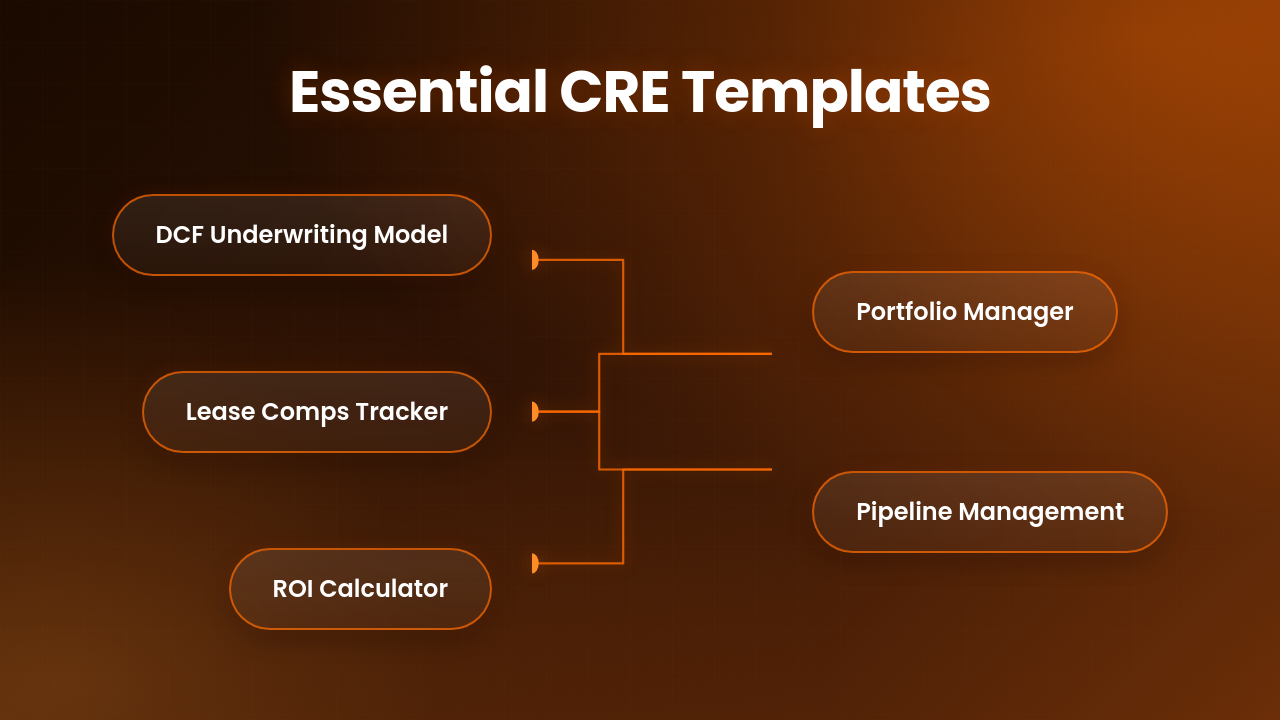
Effective analysts rely on a set of core documents. These five templates cover the essentials of the deal lifecycle.
1. Property Underwriting / DCF Model
This is the heart of your analysis. It calculates net operating income and discounted cash flows over a ten-year hold period. You can adjust rent growth, vacancy rates, and capital expenditures to see how they impact the IRR.
2. Lease Comps Tracking Sheet
Keep your market data organized. Use this to track square footage, lease terms, and effective rents in your target submarket. It helps you justify your assumptions during the underwriting phase.
3. Investment Multiples & ROI Calculator
Quickly judge the viability of a deal. This sheet calculates cash-on-cash return, equity multiple, and cap rate. It provides a snapshot of profitability before you dive deep into complex models.
4. Property Portfolio Tracker
Manage your active investments in one place. This tracker displays occupancy, debt service, and cash distributions. It helps you monitor performance across multiple assets simultaneously.
5. Broker Contact & Pipeline Management Tool
Stay organized with your outreach. Track broker calls, property interest, and follow-up dates. A strong pipeline prevents good deals from slipping through the cracks.
| Template | Primary Use | Difficulty |
|---|---|---|
| DCF Model | Underwriting | High |
| Lease Comps | Market Analysis | Low |
| ROI Calculator | Quick Feasibility | Low |
| Portfolio Tracker | Asset Management | Medium |
| Pipeline Tool | Networking | Low |
The Missing Link: Why Spreadsheets Aren't Enough
Spreadsheets work well once the data is inside them. Getting data into those cells remains a major pain point. Most analysts spend their mornings toggling between listing sites and their Google Sheets. This manual transition slows down your deal flow significantly.
PropQwik solves this friction. It connects directly to your spreadsheet workflow. Instead of typing data, you pull details from property listings directly into your model. This removes the manual data entry bottleneck. You gain accuracy and reclaim hours of your day. It bridges the gap between searching for opportunities and analyzing them.
Ready to Scale Your Analysis?
Stop wasting hours on manual data entry. Start your 7-day PropQwik trial and automate your CRE deal workflow today.


How to Build Your Own Automated CRE Dashboard
Start by defining your master sheet structure. Create tabs for "Inputs," "Calculations," and "Dashboard." Use Data Validation to force clean inputs like dates or percentage formats. This prevents broken formulas later.
Use Conditional Formatting to highlight cells that fall outside your target return thresholds. This provides visual cues during your review process. Integrate PropQwik to feed your master sheet with real-time listing data. Map your listing fields to your model’s input cells. Your dashboard will update instantly as you bring in new data. Automation keeps your eyes on the deal, not the keyboard.
Closing More Deals, Spending Less Time on Data
You now have a library of high-quality templates to improve your workflow. These tools handle the heavy lifting of financial math. Use them to organize your market research and streamline your deal evaluation. Do not let manual data entry hold your career back. Start with the free templates provided above to build a more efficient process.
Efficiency leads to more closed deals. You stay agile by automating the boring parts of the job. Try the templates today and start your 7-day PropQwik trial to see the difference. Focus your energy on the numbers that actually move the needle for your investors. Success in commercial real estate rewards those who value their time and data accuracy.
Frequently Asked Questions
Q1. Can I use these templates on mobile?
A: Yes, Google Sheets supports these templates via the mobile app. You can review and update numbers from anywhere.
Q2. Are these free real estate spreadsheets compatible with Excel?
A: You can download these Google Sheets as .xlsx files. However, some complex features may behave differently in Excel.
Q3. How does PropQwik improve my spreadsheet workflow?
A: PropQwik automates the data extraction from listing sites. You stop copy-pasting and start focusing on investment analysis.
Q4. Do these templates require advanced coding skills?
A: No, these templates use standard spreadsheet formulas. You only need basic knowledge of financial modeling.
Q5. Why should I use Google Sheets instead of desktop software?
A: Google Sheets allows for real-time collaboration. Your team can view or edit the same model simultaneously from any device.
Q6. Is there a cost for these templates?
A: The templates are free. PropQwik offers a 7-day trial to test the automated data features.