

Tired of manually saving CRE presentations? Discover how PropQwik's Google Drive auto-save feature instantly backs up your generated PowerPoints, freeing you to focus on closing deals.
Revolutionize Your Workflow: Auto-Save Generated PowerPoints Directly to Google Drive with PropQwik
1. Introduction: Drowning in Data? There's a Better Way for CRE Pros.
Commercial real estate professionals face constant pressure. The market demands up-to-the-minute data, requiring quick, professional presentations. This relentless pace often leads to repetitive manual tasks that drain valuable time and energy. You extract data, craft presentations, and then face the final, tedious step: saving and organizing these crucial files.
This manual process is a time sink and often error-prone. Lost files, confusing version control, and the nightmare of outdated information can plague your workflow. Imagine losing critical property analyses or client proposals because of a misplaced save or a system crash.
PropQwik offers a powerful solution. It provides one-click data extraction and instant presentation generation. Now, PropQwik introduces a game-changer: the ability to *save PowerPoint to Google Drive* automatically.
This article explores how PropQwik's Connectivity Add-on, featuring *Google Drive auto save PropQwik*, transforms your workflow. It ensures every presentation is securely backed up and instantly accessible. This allows you to focus on what truly matters: closing deals, not managing files.
2. The Hidden Costs of Manual Presentation Saving for CRE Professionals.
Why Manual Saving is a Time Sink (and a Headache) for CRE Pros
Manual file management introduces significant costs, both obvious and subtle, to commercial real estate operations. These aren't just minor inconveniences; they impact your bottom line and overall efficiency.
- Lost Time & Productivity: Think about the minutes spent navigating folders, clicking "Save As," choosing locations, and renaming files. These small actions accumulate. They divert focus from high-value tasks like market analysis, client calls, and deal negotiations. This constant interruption fragments your attention, making it harder to concentrate on complex work.
- Risk of Data Loss & Corruption: The fear of losing critical property analyses, client proposals, or market insights is real. Human error, unexpected system crashes, or a lack of proper backup can erase hours of work. This risk carries a heavy mental toll and can lead to missed opportunities.
- Version Control Chaos: Manually saving files often leads to confusion. Which is the latest version? Is the information accurate? Sharing outdated proposals or analyses with clients or team members damages credibility and wastes effort. Collaboration suffers greatly when everyone works from different versions of the same document.
- Organizational Overload: Keeping track of presentations across local drives, shared network folders, and email attachments becomes a Herculean task. Retrieving a specific presentation from months ago can turn into a frustrating treasure hunt, especially when you need it urgently.
- Impact on Agility: Delays in responding to client requests or preparing for urgent meetings often stem from disorganized files. If a key presentation is not readily available or correctly organized, your ability to act quickly and decisively diminishes. This slow response can cost you a deal.
3. PropQwik: Your One-Click Engine for CRE Presentation Generation.
From Listing to Client-Ready: The PropQwik Core Advantage
Before diving into the auto-save feature, it's important to understand PropQwik's foundational power. It simplifies the initial, laborious stages of presentation creation for commercial real estate professionals.
PropQwik offers effortless data extraction. With one click, it captures structured property data directly from CRE listing sites. This includes vital information like address, price, cap rate, and broker details. Simultaneously, it performs automatic image capture, grabbing all relevant listing images instantly.
Then, the magic happens. PropQwik leverages Gamma AI to transform this raw data and images into polished, branded presentations in seconds. These presentations are ready for clients, investors, or internal reviews. This core capability already saves hours. The auto-save feature now elevates this powerful process even further, adding a layer of security and efficiency that was previously missing.
4. Introducing the Connectivity Add-on: The Power of Google Drive Auto-Save.
How PropQwik's Connectivity Add-on Changes How You *Save PowerPoint to Google Drive*
PropQwik's Connectivity Add-on is the game-changer, addressing the manual saving dilemma directly. This add-on, available for just $10 per month, introduces a revolutionary feature: automatically saving every generated PowerPoint directly to your Google Drive. It solves the biggest headaches for CRE pros.
Many users wonder, "How does this integration actually work?" The process is designed for maximum simplicity. Once you set it up, it becomes a "fire and forget" system. Generate your presentation using PropQwik, and it instantly appears in your chosen Google Drive folder. You never have to manually click "Save As" again. This seamless *Drive integration PropQwik* works behind the scenes, providing peace of mind.
Here are the key features and benefits you gain with the Connectivity Add-on:
- Automatic Backup: Every presentation you create is immediately saved to the cloud. This eliminates all manual steps and significantly reduces the risk of losing valuable work due to oversight or technical glitches.
- Instant Accessibility: Your files are no longer tied to a single device or local network. Access your presentations from any device – your office computer, a laptop at home, or your smartphone during a site visit. You get this access instantly, without needing to manually upload files.
- Organized Storage: PowerPoints automatically land in a designated, organized folder within your Google Drive. PropQwik allows you to configure this location. This means no more searching through scattered files; everything is exactly where you expect it.
- Effortless Setup: Connecting PropQwik to your Google Drive is a simple, one-time process. A few clicks within the PropQwik interface link your accounts. After that, the system handles everything automatically, allowing you to focus on your core business.
This add-on fundamentally changes how you *save PowerPoint to Google Drive*, making the process effortless and secure. It offers true *Google Drive auto save PropQwik* functionality, streamlining your entire document management.
5. Beyond Saving: The Unlocked Benefits for CRE Professionals.
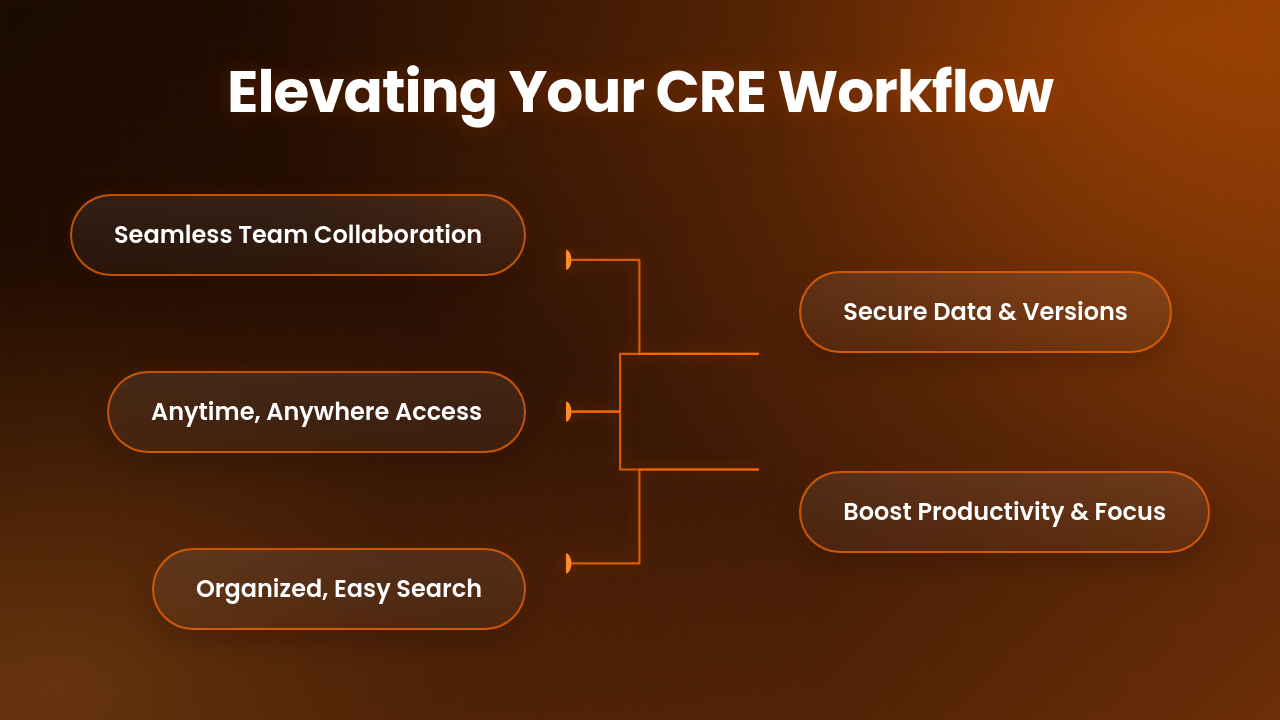
PropQwik + Google Drive: Elevating Every Aspect of Your CRE Workflow
The impact of PropQwik's automatic cloud saving extends far beyond just securing your files. It creates a ripple effect, enhancing various critical aspects of a commercial real estate professional's daily operations.
- Enhanced Collaboration: Google Drive's native sharing and collaboration features become instantly available. Teams can easily review, comment on, and even co-edit presentations. This smooth workflow means faster feedback cycles and greater alignment among team members. Sharing a presentation with a client or colleague is as simple as sending a link, making external communication much more efficient.
- Unmatched Accessibility & Mobility: Imagine pulling up any property presentation on your tablet during a site visit, showcasing details directly to a client in real-time. Or, share an urgent proposal from your phone, without any prior preparation or local files. This level of mobility means you are always ready, regardless of your location. Your office travels with you.
- Superior Organization & Searchability: Google Drive's powerful search capabilities become your ally. You can find specific presentations in seconds, even if they were created months ago. Search by keywords, property addresses, or client names. This eliminates the frustrating time spent hunting for documents, making your digital filing system truly effective.
- Robust Security & Version History: Your valuable data enjoys protection from Google's world-class infrastructure. This means peace of mind against data loss. Additionally, Google Drive offers automatic versioning. You can track all changes made to a document, review previous versions, and restore them if needed. This feature is invaluable for maintaining accuracy and accountability.
- Boosted Productivity & Focus: This is perhaps the most critical benefit. PropQwik's auto-save feature frees up significant mental bandwidth and actual time. You no longer dedicate precious energy to mundane file management. Instead, you channel that energy into high-value tasks: deeper analysis, complex negotiations, and building stronger client relationships. This shift allows you to be more strategic and ultimately, close more deals.
When considering, "How can I streamline my daily tasks as a CRE broker?" the answer lies in automating these repetitive steps. PropQwik's integration provides this exact solution.
6. Who Benefits Most from PropQwik's Drive Integration?
Is PropQwik's Auto-Save the Right Fit for You?
PropQwik's Connectivity Add-on is perfect for a range of commercial real estate professionals. Commercial brokers gain efficiency in client presentations. Investment analysts streamline their due diligence reports. Real estate developers ensure all project proposals are securely backed up. Property managers improve their reporting systems. Finally, brokerage teams achieve seamless collaboration and consistent document management. Anyone who values efficiency, data security, and seamless teamwork in their CRE operations will find this feature indispensable.
7. Getting Started: Experience the PropQwik Difference Today.
Ready to Auto-Save Your Way to Success?


Stop wasting valuable time on manual file management. Begin your journey to a more efficient workflow today. Start your 7-day free trial of PropQwik now. Simply add the PropQwik Chrome or Edge extension to your browser. Next, choose a Starter or Pro plan that fits your needs. Then, make sure to add the Connectivity Add-on for the essential *Google Drive auto save* feature. Stop worrying about where your files are. Start closing more deals with confidence.
8. Conclusion: The Future of CRE Presentation Management is Here.
PropQwik, with its Google Drive auto save feature, redefines how commercial real estate professionals manage their presentations. It transforms the often-manual chore of saving into an automated, secure, and incredibly efficient process. From instantaneous *save PowerPoint to Google Drive* functionality to enhanced collaboration and complete data security, PropQwik stands as an indispensable tool for the modern CRE professional. Take the next step today. Experience this workflow revolution and dedicate your time to what truly moves your business forward.
9. Frequently Asked Questions (FAQs).
Your Questions About PropQwik's Google Drive Integration, Answered
Q: Do I need a Google account for this feature?
A: Yes, the "*Google Drive integration PropQwik*" requires an active Google account to function. You will link your PropQwik account to your existing Google Drive.
Q: Is the auto-save feature included in all PropQwik plans?
A: No, the automatic Google Drive saving is part of the Connectivity Add-on. This add-on is available for an additional $10/month on both the Starter and Pro PropQwik plans.
Q: Can I choose the folder where PowerPoints are saved in my Drive?
A: Absolutely. PropQwik allows you to designate a specific folder within your Google Drive for all your auto-saved presentations. This keeps your files organized exactly how you prefer.
Q: How secure is my data when using this integration?
A: Your data benefits from Google Drive's robust security infrastructure. PropQwik simply facilitates the transfer. Google employs advanced encryption and security protocols to protect your files once they are in Drive.
Q: What if I accidentally delete a presentation from my Google Drive?
A: Google Drive includes a trash folder, allowing you to recover accidentally deleted files for a certain period. Additionally, Google Drive's version history means you can often retrieve previous states of a document, offering a strong safety net.