
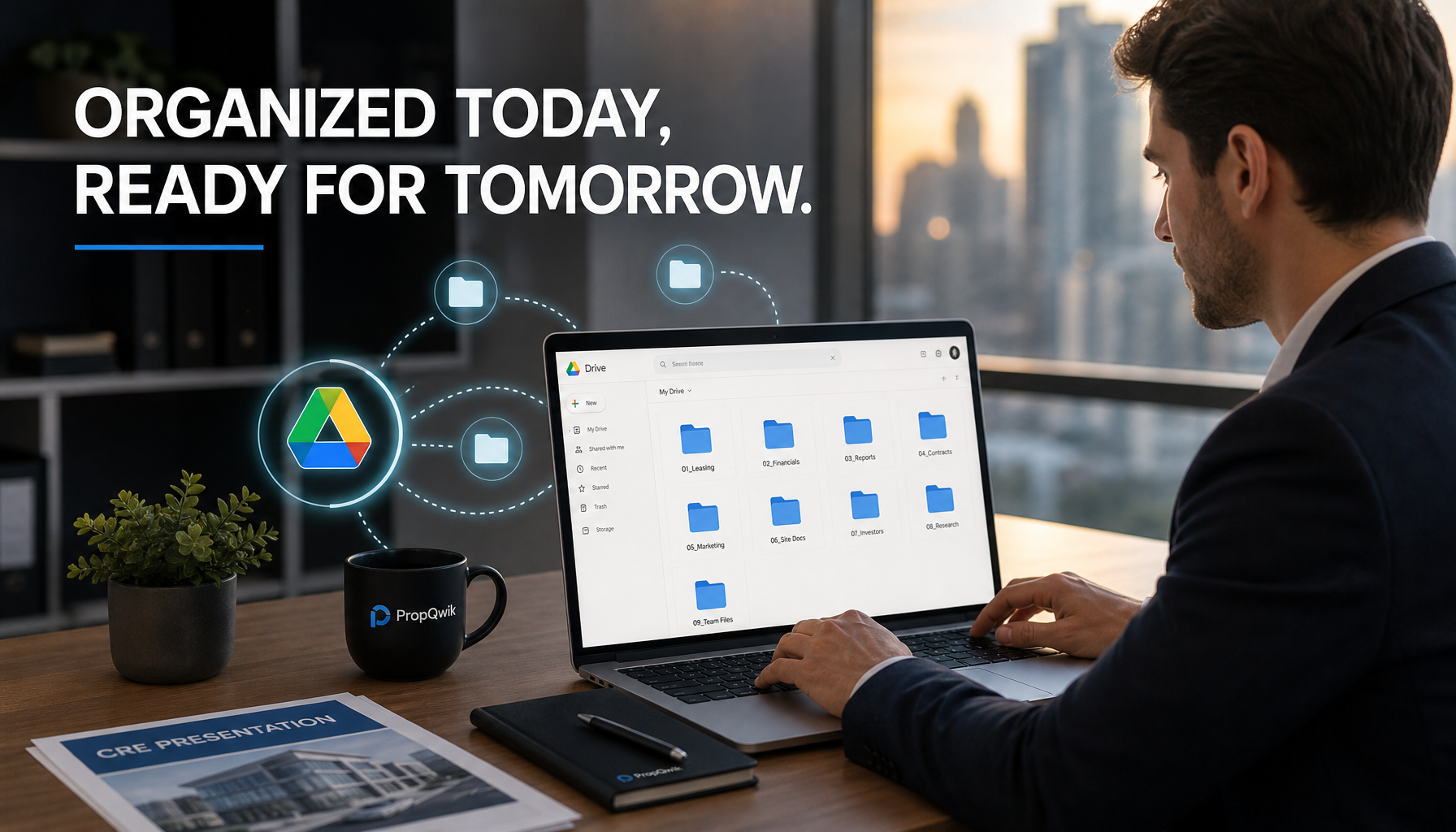
Drowning in unorganized property presentations? Learn how to combine PropQwik's one-click data extraction and Google Drive auto-save with killer folder structure best practices to revolutionize your CRE workflow.
The Silent Killer of CRE Productivity – Disorganization
Imagine this common scene: a commercial real estate professional racing against a deadline. They need a crucial property presentation, but it's lost in a maze of desktop folders, buried in old emails, or waiting for manual data input. The clock ticks. Frustration builds. This endless struggle with scattered files and time wasted searching isn't just annoying; it's a silent killer of productivity, costing valuable hours and potentially even deals.
Fortunately, there is a better way. PropQwik offers a powerful solution for one-click data extraction and instant, branded PowerPoint generation. Then, Google Drive serves as the indispensable central hub for all your digital assets. This blog will reveal how to leverage PropQwik's powerful Google Drive auto save feature with a strategic Drive folder structure for PPTs. This combination creates an iron-clad, efficient, and professional workflow for all your CRE property presentations.
The Unseen Cost of a Messy Workspace in Commercial Real Estate
Disorganized files cause more than just minor headaches in commercial real estate. They lead to significant problems. Professionals often miss deadlines because they spend too much time hunting for information. Inconsistent branding shows up in client presentations, hurting a company's image. These inefficiencies waste valuable billable hours that could go toward closing deals.
Team collaboration suffers greatly too. When everyone stores files in different places, sharing and working together becomes a nightmare. Worse yet, inefficiency can directly lead to lost deals. A delay in presenting information or a poorly organized pitch can make a client choose a more streamlined competitor.
Traditionally, saving and organizing property data and presentations involved a slow, manual grind. Copying and pasting data, creating new folders by hand, and saving each presentation individually ate up countless hours. This manual effort pulled professionals away from their core work: building relationships and brokering deals. This is why automation, like PropQwik's integration with Google Drive, is not just a 'nice-to-have' tool; it has become a 'must-have' for success in today's fast-paced CRE market.
PropQwik + Google Drive: Your Workflow Power Couple for CRE Success
PropQwik changes the game for commercial real estate professionals. It offers unique features designed to streamline your most time-consuming tasks. With one click, PropQwik extracts critical property data such as the address, price, cap rate, and broker contacts directly from web listings. It even pulls out images. PropQwik then uses Gamma AI to automatically generate a professionally branded PowerPoint presentation. This includes a background extraction feature, ensuring clean, focused slides every time.
To truly revolutionize your workflow, PropQwik offers the Connectivity add-on, available for just $10 per month. This powerful add-on includes two main components:
- Google Sheets Sync: This feature automatically syncs all your extracted property data to a structured Google Sheet. It keeps your data organized and ready for further analysis.
- Google Drive Auto Save: This is where PropQwik truly shines for presentation management. Once enabled, PropQwik saves *every generated PowerPoint presentation* directly to your Google Drive. This automation eliminates the need for manual saving, ensuring that a backup of every presentation exists immediately. You never have to worry about forgetting to save or misplacing a file again.
PropQwik creates high-quality content instantly. Google Drive, with its Google Drive auto save functionality, provides an organized, accessible home for that content. Together, they form a powerful synergy that completely transforms your commercial real estate presentation workflow. This combination allows you to produce more, faster, and with greater organization.
Building Your Command Center: Google Drive Folder Structure Best Practices for PropQwik PPTs
A well-organized Google Drive folder structure is your command center for commercial real estate operations. This setup brings consistency, logical hierarchy, scalability, and ease of navigation to your digital files. It means anyone on your team can quickly find what they need.
Let's look at a high-level structure suitable for CRE professionals:
CRE Business Name(This is your main root folder)ClientsActive ListingsCompleted DealsMarket ResearchTemplatesPropQwik Auto-Saved Presentations(This will be your initial landing zone for new PPTs)
Strategic Sub-Folder Organization for PropQwik PPTs
The PropQwik Auto-Saved Presentations folder is crucial. This is where all your automatically generated PowerPoints initially land. It serves as an inbox. However, it is vital to *regularly move these presentations to their permanent homes* within your main structure. This keeps your "inbox" clear and ensures long-term organization.
Consider these strategic sub-folder approaches for your Drive folder structure for PPTs:
-
Client-Centric Structure:
Clients[Client Name A][Property Address/Project Name]123 Main St - Marketing Deck.pptx123 Main St - Investment Analysis.pptx
[Client Name B][Project Name X]Project X - Initial Pitch.pptx
-
Property-Centric Structure:
Active ListingsOffice456 Elm Ave[Client Name]456 Elm Ave - Marketing Report - 2023-10-26.pptx
Retail789 Oak Ln[Client Name]789 Oak Ln - Retail Opportunity.pptx
-
Deal-Flow Based Structure:
Completed Deals2023Q3The Smith DealSmith Deal - Final Investment Analysis.pptx
Q4The Jones PropertyJones Property - Closing Presentation.pptx
Consistent Naming Conventions:
To ensure searchability and clarity for your auto-saved PPTs, adopt a consistent naming convention. This makes finding files much easier. Examples include:
{Property Address} - {Client Name} - {Date} - {Type of Presentation}.pptx(e.g.,123 Main St - Acme Corp - 2023-10-26 - Marketing Deck.pptx)
{Project Name} - {Version} - {Date}.pptx(e.g.,Downtown Lofts - v2 - 2023-11-15.pptx)
Implementing PropQwik's Google Drive Auto-Save: A Step-by-Step Guide
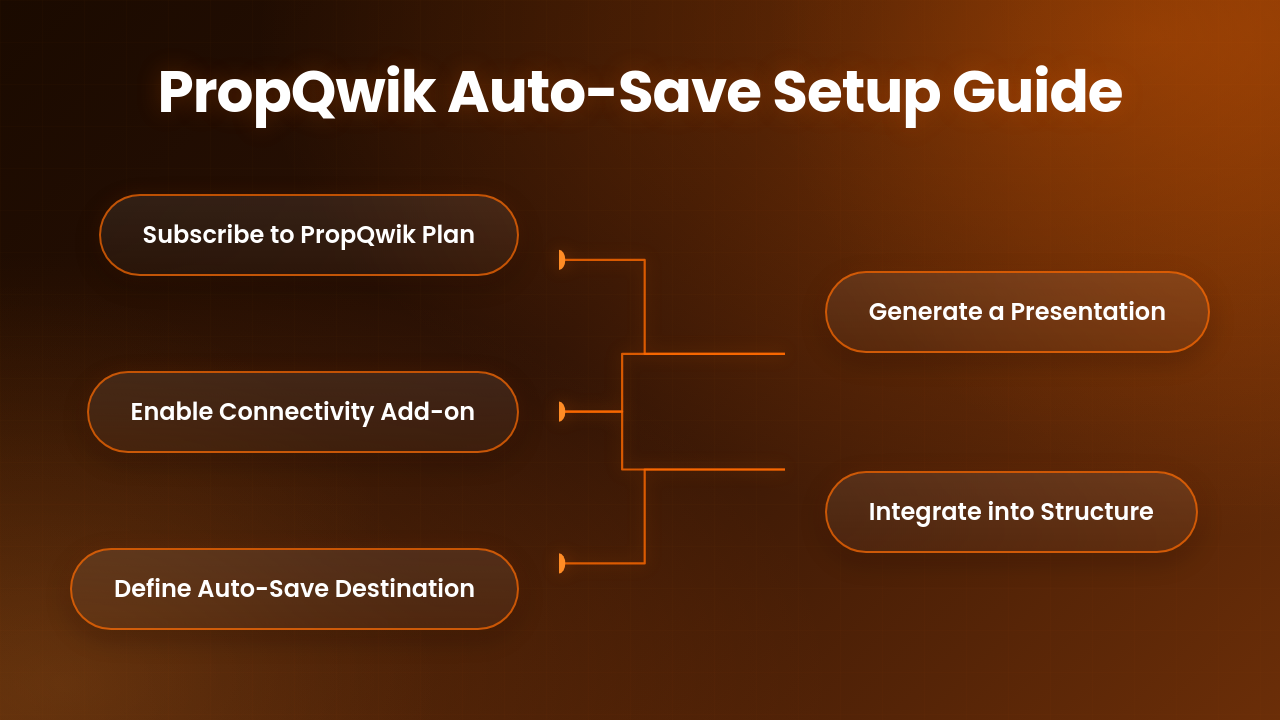
Getting PropQwik's Google Drive auto save up and running is straightforward. Follow these steps to integrate it into your commercial real estate workflow:
- Subscribe to a PropQwik Plan: Start by selecting either a Starter or Pro plan. If you are new to PropQwik, take advantage of the 7-day free trial to experience its features first-hand.
- Enable the Connectivity Add-on: After subscribing, navigate to your PropQwik account settings or the add-ons section. There, you can easily activate the Connectivity add-on for $10 per month. You will connect your Google Account during this step, granting PropQwik permission to interact with your Google Drive. PropQwik processes data locally, meaning your sensitive data never resides on PropQwik's servers.
- Define Your Auto-Save Destination in PropQwik: Within the PropQwik extension settings, you will find an option to specify your auto-save destination. Select an existing Google Drive folder or create a new one, such as 'PropQwik Auto-Saved Presentations'. This folder will serve as the initial destination for all your generated PowerPoint files.
- Generate a Presentation: Now, put it to the test! Use PropQwik to extract data from a listing and generate a new PowerPoint presentation. Once the presentation finishes generating, check your designated 'PropQwik Auto-Saved Presentations' folder in Google Drive. You will find the new PowerPoint file waiting there, automatically saved.
- Integrate into Your Master Structure: Once a presentation auto-saves to your default folder, the final step involves integrating it into your meticulously planned Drive folder structure for PPTs. Simply drag-and-drop or move the file from 'PropQwik Auto-Saved Presentations' into its permanent, organized home within your client, property, or deal-flow specific folders. This ensures long-term organization and easy retrieval.
Beyond the Basics: Tangible Benefits for the CRE Professional
Adopting PropQwik's Google Drive auto-save, coupled with a smart folder structure, delivers significant advantages for commercial real estate professionals:
- Massive Time Savings: Eliminate the minutes spent manually saving each presentation and the frustrating hours lost searching for misplaced files. This reclaimed time can be significant.
- Enhanced Professionalism & Consistency: Always present polished, branded materials. Every auto-saved presentation ensures a high standard, reinforcing your professional image.
- Improved Collaboration: Seamless sharing with team members and clients becomes a reality. With a consistent Drive folder structure for PPTs, everyone knows where to find the latest version.
- Version Control & Reduced Errors: Minimize the risk of using outdated information. Because everything is saved automatically and organized logically, you always access the most current presentation.
- Scalability for Growth: This system grows with your deal flow and portfolio. As your business expands, your organized digital workspace keeps pace without becoming chaotic.
- Focus on What Matters: Free up valuable time and mental energy. You can now focus on closing deals, nurturing client relationships, and strategizing, rather than getting bogged down in administrative tasks.
FAQs About PropQwik's Google Drive Integration
People often have questions about how new tools integrate with their existing systems. Here are some common queries about PropQwik's Google Drive auto save integration:
Q: Can I change the default auto-save folder in Google Drive after setting it up?
A: Yes, you can easily change the default auto-save folder. Simply go back to your PropQwik extension settings, find the Google Drive integration options, and select a new destination folder. The change applies immediately to future auto-saves.
Q: Does PropQwik auto-save *all* generated PowerPoints once the Connectivity add-on is active?
A: Yes, once you have enabled and configured the Connectivity add-on with your Google Drive, PropQwik will automatically save every PowerPoint presentation you generate using the extension. This ensures a consistent backup of all your work.
Q: Is my data secure with Google Drive auto-save? What about PropQwik storing my information?
A: PropQwik processes data locally on your machine, meaning the extracted property data does not get stored on PropQwik's servers. When presentations are auto-saved to Google Drive, they benefit from Google Drive's robust security measures, including encryption and access controls. You control who can access your files within Google Drive.
Q: Do I need a specific PropQwik plan to use the Google Drive auto-save feature?
A: Yes, the Google Drive auto-save feature is part of the Connectivity add-on. This add-on is available for a small monthly fee ($10/month) and can be added to both the Starter and Pro PropQwik plans.
Q: What happens if my internet connection drops while PropQwik is generating a presentation with auto-save enabled?
A: PropQwik requires an active internet connection to generate presentations and to connect with Google Drive for auto-saving. If your connection drops during generation or saving, the process may not complete. It's best practice to ensure a stable internet connection when working with cloud-based tools and generating important documents. You can always re-generate and re-save the presentation once your connection is restored.
Q: Can I turn off the auto-save feature temporarily if I don't want every single presentation saved?
A: While the auto-save is a core function of the Connectivity add-on, you can adjust your settings within PropQwik to temporarily disable the Google Drive auto-save if you need to. However, the true power comes from having every presentation automatically archived. You can always delete unwanted presentations from your designated auto-save folder later.
Conclusion: Enhance Your CRE Workflow Today
Disorganization no longer needs to be a silent killer of your commercial real estate productivity. The combination of PropQwik's instant presentation generation and its powerful Google Drive auto save functionality, all anchored by a well-planned Drive folder structure for PPTs, creates an unbeatable system. This integrated approach saves you time, boosts your professionalism, and allows you to focus on high-value activities that grow your business.
Stop wasting time on repetitive data entry and get started with your PropQwik free trial today! Experience the seamless workflow and unparalleled organization that PropQwik and Google Drive bring to your CRE presentations. Revolutionize your real estate business now.

