

Tired of manual copy-pasting commercial real estate data? This blog dives deep into a side-by-side comparison of PropQwik's automated workflow versus the manual grind. Discover how PropQwik empowers CRE professionals to save hours, automate listing extraction, and build stunning client presentations in a fraction of the time. Transform your productivity and focus on what truly matters: closing deals.
PropQwik vs. Manual Copy-Paste: How to Save Hours & Automate Your CRE Workflow
Introduction: The Silent Killer of CRE Productivity
Are you still wrestling with endless manual data entry for commercial real estate listings? Many commercial real estate professionals spend countless hours copying property details from various websites. This invisible time drain and constant frustration stop growth. It keeps you from focusing on clients and strategic deals. Manual tasks tie you down, slowing progress. PropQwik is a definite game-changer. It offers one-click efficiency and saves significant time for CRE pros. It moves you from tedious work to profitable action.
The Manual Grind: A Day in the Life Without Automation
Imagine your morning. You need crucial data points for a client presentation. Address, price, cap rate, lease rate, listing images, and broker contacts are all needed. You open LoopNet, then another site, then another. Each piece of information requires a careful copy and paste. You do this for ten, twenty, or even fifty properties.
This agonizing, step-by-step process wastes hours. Human error often creeps in, changing numbers or missing details. The repetitive nature of this work quickly leads to boredom. It takes your focus from high-value tasks. You could be building client relationships or analyzing complex deals. Instead, you are stuck with manual listing extraction. Each minute spent on a single property multiplies. Soon, hours disappear, impacting deadlines and your entire workflow. This manual grind drains your energy and limits your potential.
Why does manual data entry hurt CRE professionals?
Manual data entry keeps professionals from doing what they do best. It consumes time that could go into client meetings or market analysis. This work is prone to errors, which can lead to bad decisions. It also creates a sense of dread, reducing job satisfaction.
Enter PropQwik: The Workflow Revolution You've Been Waiting For
PropQwik is a powerful Chrome and Edge extension. It removes manual CRE data entry. This tool extracts structured property data in just one click. It is purpose-built for commercial real estate professionals. PropQwik’s main promise is instant data capture. It collects images automatically and structures data right away. This radically changes how you compile property information. PropQwik is more than just a tool; it is a strategic advantage. It frees you up to focus on analysis and finding new clients. You can leave the clerical work behind.
PropQwik vs. Manual: A Side-by-Side Workflow Example
Consider a common scenario. A commercial broker needs detailed information for ten prospective properties. This information is for a high-value client presentation. This task, when done manually, takes a long time. With PropQwik, the process is quick and smooth.
Manual Workflow (The 'Before')
A broker starts by opening ten separate tabs. Each tab shows a different property listing. They meticulously copy the address from one site. Then they paste it into a master spreadsheet. Next, they copy the price, then the cap rate, then the lease rate. They find the broker’s contact details. Then they copy the property description. This happens for all ten properties.
After collecting text data, they save each listing image individually. These images often have different names. Finally, they transfer all this information into a presentation tool. Formatting these details into a clean PowerPoint deck takes even more time. For ten properties, this extraction and initial organization could take 20-30 minutes per property. This adds up to 3-5 hours total. The process is frustrating and full of chances for errors. This manual listing extraction makes building a client deck very hard.
PropQwik Workflow (The 'After')
Now, picture the PropQwik way. The broker visits each of the ten listing pages. They click the PropQwik icon just once per page. This immediately extracts all data and images. They do this for all ten properties. Then, with another single click, they choose to generate a professional PowerPoint presentation. This uses Gamma AI. Or, they can sync all extracted data to a Google Sheet using the Connectivity add-on. The data is neat and ready.
This PropQwik time saving is dramatic. Extracting data takes 1-2 minutes per property. Generating the full presentation then takes mere seconds. The total time for ten properties might be just 15-20 minutes. This is a huge difference compared to manual methods.
The Unveiled Difference: Time is Money in CRE
The comparison clearly shows how different these two approaches are. The manual process consumes hours. It leads to fatigue and potential errors. The PropQwik workflow, however, offers significant 'PropQwik time saving'. It changes hours into minutes. This seamless workflow automation for listing extraction means more time for clients. It means more time for strategic thinking. It gives you a strong competitive edge. This is not just a small gain; it is a major change in how CRE professionals operate.
Here's a quick look at the core differences:
| Feature / Task | Manual Copy-Paste | PropQwik Automation |
|---|---|---|
| Data Extraction | Tedious, multiple copies, high error | One-click, structured, accurate |
| Image Collection | Manual saving of each image | Automatic capture and organization |
| Presentation Build | Hours of formatting and design | Seconds via Gamma AI |
| Data Sync | Manual transfer to spreadsheets | Auto-sync to Google Sheets (add-on) |
| Time for 10 Props | 3-5 hours | 15-20 minutes |
| Error Rate | High | Very Low |
This table clearly outlines the advantages of automation.
Beyond Extraction: Building Client-Ready Decks in Seconds
PropQwik does more than just extract data. It creates professional, branded PowerPoint presentations instantly. This uses Gamma AI. This feature removes hours of formatting and design work. Imagine having a perfect presentation ready without lifting a finger.
The Connectivity add-on is also very helpful. It automatically syncs every extracted property to a structured Google Sheet. This keeps your data organized. It also auto-saves every generated PowerPoint directly to your Google Drive. This makes sure all your documents are in one place.
This complete automation of the 'manual vs automated deck build' process truly helps CRE professionals. They can now use their energy for analysis, client strategy, and closing deals. They no longer need to spend time on tedious document creation. PropQwik helps you focus on what makes a difference.
How does PropQwik ensure data privacy and security?
PropQwik follows strict privacy standards. It processes all data locally on your browser. This means your sensitive property information never leaves your device or goes to PropQwik servers. Your data stays private. This approach aligns with modern data protection regulations and ensures trustworthiness.
Key Features Powering Your Efficiency
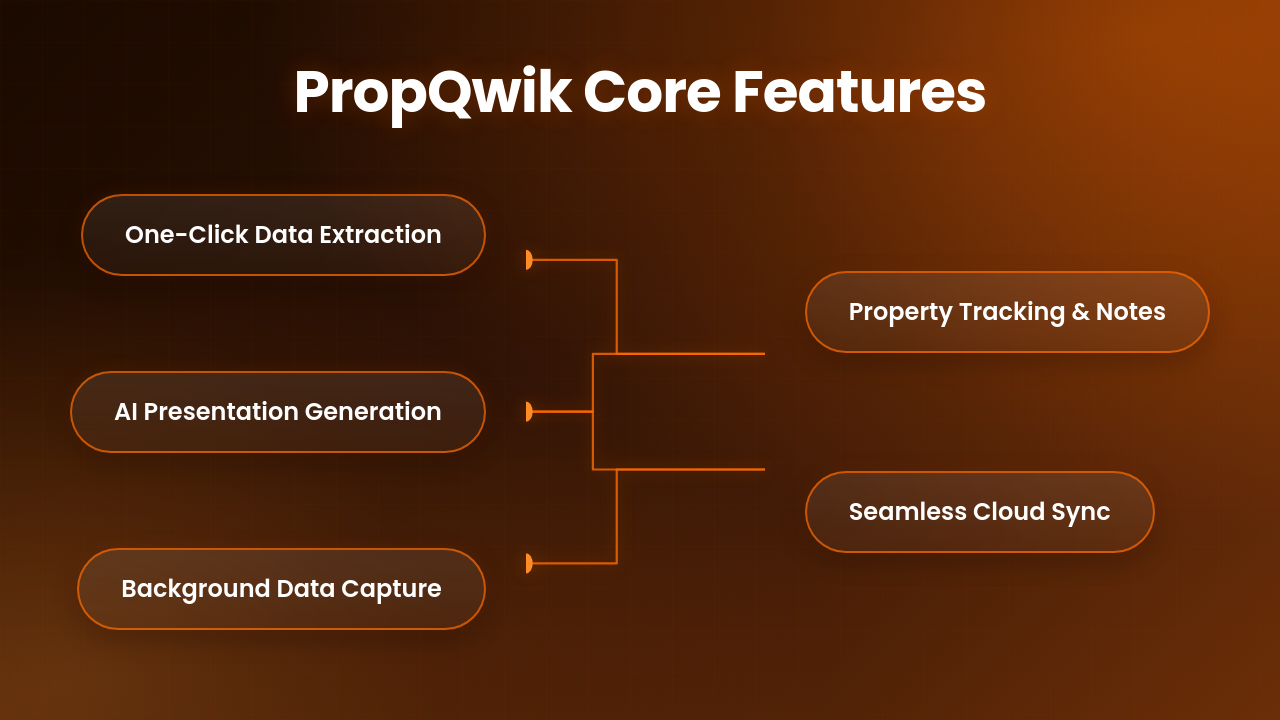
PropQwik offers powerful features that save time and automate your work:
- One-Click Data Extraction & Automatic Image Capture: Get all property details and images with a single click. This means comprehensive data collection instantly.
- Automatic Background Extraction: Continue browsing other tabs. PropQwik extracts data in the background, making your work smoother.
- Professional PowerPoint Generation (via Gamma AI): Convert raw data into polished presentations without any extra effort.
- Property Notes, Tracking, Favorites: Organize and manage your listings with custom notes. Keep track of what matters most.
- Google Sheets & Drive Sync (Connectivity add-on): Integrate seamlessly. Automatically send data to Google Sheets and save presentations to Google Drive.
- Privacy & TOS Compliance: Feel secure. Your data stays local on your browser, respecting your privacy and terms of service.
Who Benefits Most? Reimagining Your Role with PropQwik
Many professionals gain from PropQwik. Commercial Brokers use it for faster client presentations. Investment Analysts automate data gathering for deeper insights. Real Estate Developers quickly assess new opportunities. Property Managers streamline listing updates. Brokerage Teams collaborate more efficiently. PropQwik helps each role achieve more with less effort.


Ready to Reclaim Your Time? Start Your PropQwik Journey Today!
Stop copying property data. Start closing more deals. Begin your 7-day free trial of PropQwik now. See the difference yourself. Explore our Starter plan at $19.99/month or the Pro plan at $39.99/month. The Pro plan includes the powerful Connectivity add-on for Google Sheets and Drive sync. Improve your CRE workflow with PropQwik.
Conclusion: The Future of CRE Data is Here
PropQwik is more than just a browser extension. It is a productivity booster and a workflow automation system. It offers significant 'PropQwik time saving' for commercial real estate professionals. Leave behind manual, mundane tasks. Embrace smart automation. Focus on strategic, high-impact work. This drives real success in your career and for your clients. The future of CRE data is here, and it is efficient.
Frequently Asked Questions About CRE Automation
What is PropQwik and how does it help CRE professionals?
PropQwik is a browser extension for Chrome and Edge. It automates the extraction of commercial real estate listing data and images from various websites. It helps professionals save hours by ending manual copy-pasting. It structures data and creates client-ready presentations. This frees up time for client relationships and deal-making.
How much time can PropQwik truly save compared to manual methods?
PropQwik saves significant time. Manually gathering detailed information for ten properties might take 3-5 hours. PropQwik can finish this task, including presentation generation, in just 15-20 minutes. This major reduction in administrative work helps professionals focus on high-value activities.
Can PropQwik generate presentations, or does it only extract data?
PropQwik extracts data and creates presentations. It pulls structured data and images, then automatically generates professional PowerPoint presentations using Gamma AI. This feature removes manual formatting. It delivers client-ready decks in seconds, a core part of workflow automation for listing extraction.
Is my data safe and private when using PropQwik?
Yes, PropQwik focuses on privacy. All data extraction happens locally on your browser. Your property data never leaves your device. It is not stored on PropQwik's servers. This approach respects your privacy and follows data protection standards.
What is the Connectivity add-on and why is it useful?
The Connectivity add-on is a premium PropQwik feature. It automatically syncs extracted property data to a Google Sheet. It also saves generated PowerPoint presentations to your Google Drive. This add-on smoothly integrates with your cloud workflow, centralizing your data and documents.
How does PropQwik improve client trust and professionalism?
By automating data collection and presentation creation, PropQwik lets CRE professionals focus on market analysis and client strategy. This improves their expertise. Delivering polished, data-rich reports quickly builds authoritativeness and trust with clients, showing efficiency and reliability.