

Discover how PropQwik revolutionizes your commercial real estate workflow by providing instant, structured answers to the 25 most common and complex CRE search queries, from property data to client presentations.
Top 25 Search Queries CRE Pros Use (and How PropQwik Answers Them Instantly)
Introduction: The Daily Grind & The Quest for Instant Answers
Commercial real estate professionals navigate a deluge of data daily. They tirelessly search for crucial information. The endless cycle of manual data collection, copy-pasting, and sifting through countless listings is a monumental time sink. What if a smarter, faster way existed to get immediate, structured answers to your most pressing CRE questions? Meet PropQwik. This Chrome & Edge extension is designed to turn your search into instant, actionable intelligence. We are diving deep into the top 25 CRE search queries answered by industry pros, showing how PropQwik cuts through noise and delivers precise solutions, making you more efficient and effective.
The CRE Professional's Digital Dilemma: Why Search Queries Dominate
The CRE market is dynamic, always changing. Data spreads across many sources, like LoopNet, Crexi, and CoStar. Professionals need rapid insights constantly to satisfy clients and close deals. Traditional search methods often lead to frustration; they don't directly provide structured, usable data. This manual process takes valuable time. Many professionals also rely on long-tail CRE queries. These are specific, detailed searches needing precise data points, often hidden deep within listing pages. Finding these specific answers manually is a major hurdle.
Decoding the Top 25 CRE Search Queries: PropQwik's Instant Solutions
Commercial real estate professionals ask very specific questions. They need quick, reliable data to make decisions. PropQwik directly addresses these needs. It pulls key details from listings, making information available instantly. This saves hours of manual work.
Group 1: Property Data & Market Insights — The 'What's the Deal?' Queries
CRE pros need to understand property specifics and market conditions at a glance. These questions focus on core data points.
| Query | PropQwik Answer |
|---|---|
| Query 1: "What's the current cap rate for a [Property Type] in [Specific Submarket]?" | You can instantly extract cap rates directly from publicly visible listing pages on LoopNet (with Crexi/CoStar coming soon). This gives you structured data for quick comparisons and analysis. |
| Query 2: "Commercial property for sale [Property Type] [Location] [Price Range] with [Specific Feature]?" | As you browse relevant listings, PropQwik automatically captures all visible property details. You are not just finding properties, you are *capturing* their data for immediate use. |
| Query 3: "Lease rates for Class A office space in [Neighborhood] with modern amenities?" | One-click extraction provides lease rates, square footage, and amenity details from any supported listing page. This eliminates manual data entry. |
| Query 4: "Who is the listing broker for [Specific Property Address]?" | PropQwik captures broker contact information—name, company, phone, email—automatically. This data is ready for your outreach or to add to your database. |
| Query 5: "Property details including high-res images for [Property ID/Address]?" | The extension automatically captures all visible listing images alongside structured data. This is perfect for client presentations or internal records. |
| Query 6: "Recent sales comparables for [Property Type] in [Area]?" | You quickly accumulate data from multiple listings as you browse. Then, use PropQwik's search/filter in 'Past Extractions' to identify and group comps. |
| Query 7: "Available industrial space with specific loading dock configurations in [Industrial Park]?" | For these long-tail CRE queries, PropQwik extracts all visible property features. This allows you to quickly filter and analyze for very specific requirements. |
| Query 8: "What are the zoning regulations for commercial development in [City]?" | While PropQwik directly extracts data from listings, it helps you quickly gather property-specific details that inform your zoning research. |
| Query 9: "CRE market trends and vacancy rates for [Metro Area]?" | By rapidly collecting current listing data, PropQwik helps you build your own real-time database. You observe and deduce trends more efficiently than ever. |
| Query 10: "Environmental reports or disclosures for commercial properties?" | PropQwik does not generate reports. However, it helps you quickly gather property specifics that indicate the need for such reports, or notes on available disclosures from the listing. |
Group 2: Workflow Efficiency & Data Management — Beyond Basic Search
Beyond just finding properties, CRE pros need smart tools to manage their workflow and data. PropQwik streamlines these processes.
| Query | PropQwik Answer |
|---|---|
| Query 11: "How to quickly compare multiple commercial listings side-by-side?" | Extract multiple properties in one click. Then, export them to a structured Google Sheet (with Connectivity Add-on) for instant, organized comparison. |
| Query 12: "Tools for generating professional CRE presentations quickly?" | Generate professional PowerPoint presentations via Gamma AI in seconds from your extracted data. You use your branded templates. |
| Query 13: "How to automate CRE data entry and reduce manual errors?" | PropQwik's one-click data extraction eliminates manual entry entirely. It significantly reduces errors and frees up hours. |
| Query 14: "Best way to track client property interests and notes efficiently?" | Utilize PropQwik's 'Property Notes' and 'Favourites' features. You organize, annotate, and track client-specific interests directly within the extension. |
| Query 15: "Secure and compliant CRE data extraction tool?" | PropQwik processes all data locally in your browser. It stores nothing on its servers and is fully terms-of-service compliant. Security and privacy are paramount. |
| Query 16: "Can I use a CRE data extraction tool across multiple devices?" | Yes, your PropQwik account works on both Chrome and Microsoft Edge. This allows seamless access across your devices. |
| Query 17: "How to manage past extracted CRE property data?" | PropQwik's 'Past Extractions' feature offers robust search and filter capabilities. You always find and reuse previously captured data. |
Group 3: Client-Facing Excellence & Advanced Solutions
Client satisfaction and strategic thinking drive success in CRE. PropQwik helps professionals deliver superior service and gain an edge.
| Query | PropQwik Answer |
|---|---|
| Query 18: "How to create branded property reports for clients fast?" | Generate stunning, branded PowerPoint presentations in seconds with PropQwik's integrated Gamma AI feature. You use your pre-selected templates. |
| Query 19: "What's the most efficient way to share property listings and analyses with clients?" | Auto-save generated PowerPoints directly to Google Drive. Auto-sync extracted data to Google Sheets (with Connectivity Add-on) for easy sharing. |
| Query 20: "Need proof of market comparables for client presentations." | Rapidly gather comprehensive and structured property data from multiple listings. This provides undeniable evidence for your market analysis and client pitches. |
| Query 21: "How to quickly assess development potential for a commercial site?" | Extract key site details (acreage, zoning info from listings, surrounding properties) to quickly inform your initial development feasibility studies. |
| Query 22: "Finding specific tenant details or lease expiration dates from listings?" | When available on the listing page, PropQwik captures these critical data points. This helps you identify opportunities based on lease events and tenant profiles. |
| Query 23: "Commercial real estate analytics tools for competitive advantage?" | By providing raw, structured data at your fingertips, PropQwik serves as the essential first step for any in-depth analytical work. It gives you a distinct advantage. |
| Query 24: "CRE data aggregation for specific investment criteria (e.g., cap rate, square footage, specific amenities)?" | PropQwik excels at providing rapid listing extraction answers for these highly specific parameters. This allows you to build targeted datasets for your investment models. |
| Query 25: "Is there a chrome extension for commercial real estate data extraction?" | Absolutely! PropQwik is precisely that—a powerful Chrome (and Edge) extension built for CRE professionals to extract structured data in one click. |
Why PropQwik is the Ultimate Answer Engine for CRE Professionals
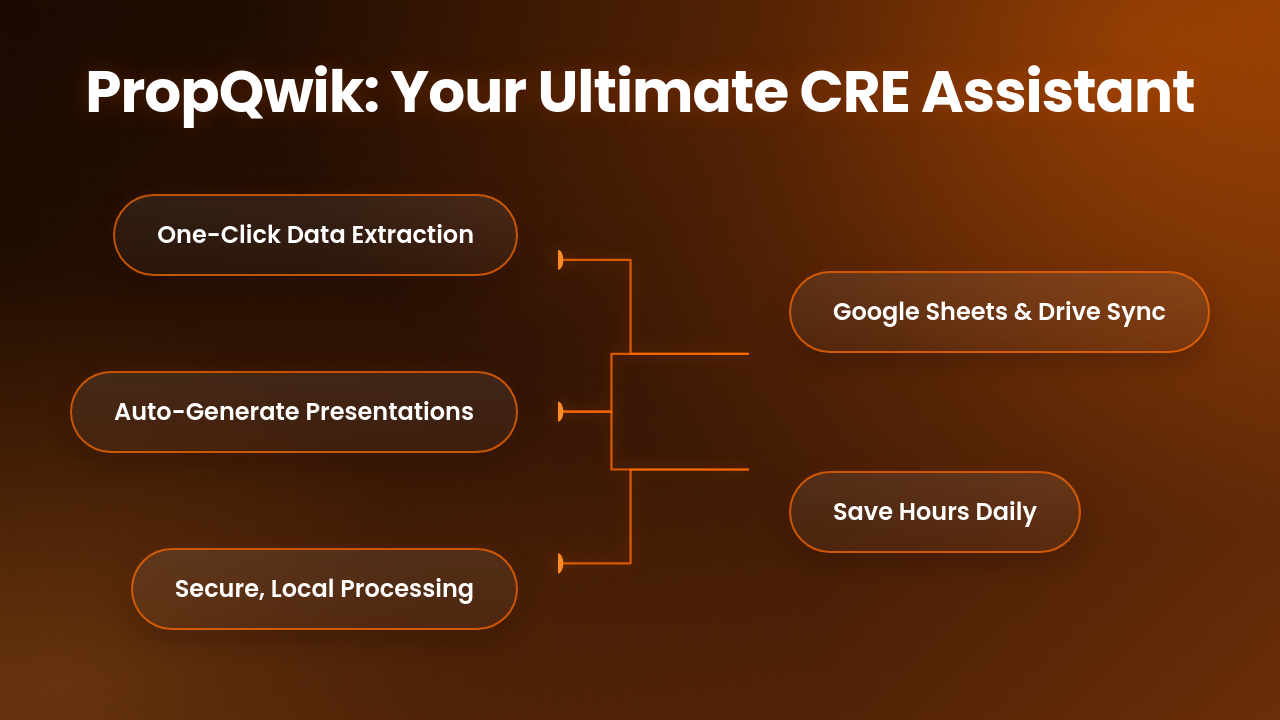


PropQwik offers a compelling set of benefits. It provides one-click data extraction, automatic image capture, and professional PowerPoint generation through Gamma AI. It ensures robust privacy with local processing and offers seamless integration with Google Sheets and Drive. This means significant time savings for you. PropQwik is more than a tool; it's your digital assistant. It delivers CRE search queries answered with unparalleled speed and accuracy. This lets you focus on what truly matters: closing deals and serving clients.
Get Your Answers Instantly: Try PropQwik Today!
Ready to improve your CRE workflow? Stop wasting time on manual data entry and start getting instant answers. Begin your 7-day free trial now – no commitments, just pure efficiency. Explore our Starter ($19.99/month) or Pro ($39.99/month) plans, with the optional Connectivity Add-on for Google Sheets & Drive sync. This tool helps you make quicker, smarter decisions. It also allows you to devote more time to strategic tasks and client relationships. Visit PropQwik.com to start your trial today!
Frequently Asked Questions (FAQ) about CRE Data Extraction
Navigating the commercial real estate landscape often brings up specific questions about data and tools. Here are some common queries that CRE professionals and those curious about the industry often ask.
| Question | Answer |
|---|---|
Q1: What is the fastest way to get property details from a CRE listing? |
Using a dedicated browser extension like PropQwik is the fastest way. It allows one-click extraction of all visible property details, including images, square footage, and lease rates, directly from the listing page into a structured format. |
Q2: How can I avoid manual data entry for CRE listings? |
PropQwik automates data entry by capturing information directly from supported listing websites. This eliminates the need for manual typing, reduces errors, and saves a significant amount of time. |
Q3: Are there secure methods for extracting commercial real estate data? |
Yes. PropQwik is a secure option because it processes all data locally in your browser. It does not store any of your extracted data on its servers, ensuring your privacy and compliance with data handling best practices. |
Q4: Can I generate client presentations directly from extracted CRE data? |
Absolutely. PropQwik integrates with Gamma AI to generate professional, branded PowerPoint presentations in seconds from your extracted property data. This streamlines the reporting process for clients. |
Q5: What are "long-tail CRE queries" and how do I answer them efficiently? |
Long-tail CRE queries are very specific searches, like "industrial space with specific loading dock configurations and 20ft clear height in Miami." PropQwik helps by extracting all visible features from listings, allowing you to quickly filter and find properties matching these precise criteria. |
Q6: How does PropQwik handle data from different listing platforms like LoopNet or Crexi? |
PropQwik is designed to extract data consistently from publicly visible listing pages on supported platforms like LoopNet (with Crexi/CoStar support coming soon). It normalizes this data into a usable, structured format. |
Q7: What kind of information can a CRE data extraction tool capture from a listing? |
A tool like PropQwik can capture details such as property type, address, price/lease rate, square footage, cap rate (if visible), broker contact information, amenities, features, and all visible images. |
Q8: Is PropQwik considered a "chrome extension for commercial real estate data extraction"? |
Yes, PropQwik is exactly that. It's a powerful Chrome (and Edge) extension specifically built to help CRE professionals efficiently extract and manage structured data from commercial property listings. |
Q9: How can I ensure my extracted CRE data is easy to share with colleagues or clients? |
With PropQwik's optional Connectivity Add-on, you can auto-sync extracted data to Google Sheets and auto-save generated PowerPoints to Google Drive. This makes sharing seamless and organized. |
Q10: Does PropQwik help with competitive analysis or market trend observation? |
By rapidly accumulating structured data from multiple listings, PropQwik helps you build your own real-time database. This enables more efficient competitive analysis and a clearer observation of market trends. |