

Transforming raw commercial real estate listing photos into client-ready presentation slides can be a tedious task. This guide dives into both powerful automated methods and essential manual techniques, including expert cropping and layout best practices, to help you achieve presentation perfection in record time. Say goodbye to manual work and hello to impactful visuals!
The Visual Edge in Commercial Real Estate
In the dynamic world of commercial real estate, initial impressions matter greatly. Your listing photos are more than just pictures; they are crucial selling tools that can influence a deal's outcome. Often, converting a raw collection of property images into polished, slide-ready visuals feels like a significant challenge. The manual work of downloading, editing, and formatting images drains valuable time from CRE professionals.
This guide will provide you with the essential knowledge to efficiently extract listing photos to slide. We will cover both innovative automated solutions and crucial manual fine-tuning techniques. Prepare to improve your presentations and recover your valuable time. Learn how PropQwik simplifies this entire process, letting you focus on what truly counts: closing deals.
The Unseen Power: Why Impeccable Visuals Drive CRE Deals
High-quality, well-presented images boost your credibility and build trust with clients. They keep audiences engaged. Potential buyers or investors can better visualize the opportunity, which greatly impacts their decisions. Conversely, blurry, poorly cropped, or inconsistently formatted images can undermine your professionalism. Such visuals might distract from important data and even deter potential interest. Clear visuals are a cornerstone of successful CRE transactions.
Automated Magic: Swiftly Extract Listing Photos to Slide with One-Click Tools
Manual image capture is quickly becoming obsolete. Today's CRE professionals need both speed and precision. They look for efficient ways to manage their visual assets.
PropQwik's Automated Image Capture Revolution
PropQwik offers a groundbreaking solution for effortless image capture. Its 'one-click data extraction' feature is a game-changer. This tool does more than just capture structured property data; it automatically grabs all publicly visible listing images. This is the ultimate auto image capture solution for commercial real estate.
Using PropQwik brings significant benefits. It dramatically saves time, which is precious for brokers. The tool ensures consistency across all extracted data and images. It also reduces human error, eliminating repetitive manual downloads. PropQwik handles multiple images smoothly. It organizes them and prepares them for immediate use. These images are instantly ready for PropQwik's 'Professional PowerPoint generation via Gamma AI.' This turns raw data and images into client-ready presentations in mere seconds.
This feature eliminates significant workflow friction. It allows brokers and analysts to move much faster. They can focus on analysis and client interaction rather than tedious image preparation.
Why General Tools Fall Short
General browser extensions or basic screenshot tools exist, but they often lack the specific features CRE professionals need. They might capture images, but they don't integrate them with structured data. These tools also don't prepare images for presentations automatically. PropQwik, however, is designed specifically for CRE. It provides structured extraction capabilities, making it superior for property-related tasks.
Common Query: How can I quickly gather property images for my CRE presentations without manual downloads?
- Answer: Tools like PropQwik offer 'one-click data extraction' that automatically captures all visible listing images alongside property data, then integrates them directly into presentation slides.
Manual Mastery: Elevating Your Images with Precision Cropping and Editing
While automation offers great power, a human touch remains essential at times. Manual intervention is key for highly customized presentations. It is also important for specific branding requirements or when images need extra attention.
Essential Manual Techniques for CRE Professionals
Cropping for Impact
The art of cropping images makes a significant difference. You can effectively crop images to remove distractions. Focus on key architectural features or highlight specific amenities. This improves the overall composition. Consider the 'rule of thirds' in CRE photography. Place important elements along the lines or at their intersections for a balanced and engaging look.
- Tip: When you crop, ensure consistency for presentation slides. Use standard aspect ratios, like 16:9 for widescreen displays. This gives a uniform and professional appearance to your visuals.
Resizing & Resolution
Maintaining high-quality visuals is crucial. However, avoid creating oversized files that slow down presentations. Find the right balance between file size and presentation clarity. High-resolution images look sharp, but excessively large files can cause delays.
Basic Adjustments that Make a Big Difference
Simple edits can greatly improve an image.
- Brightness & Contrast: Adjusting these can enhance visibility and dynamism. It helps details stand out.
- Color Correction: Achieving natural-looking tones and consistency across multiple photos from different sources is important. It creates a cohesive visual experience.
- Straightening & Perspective Correction: Fixing skewed angles is common in real estate photography. Correcting these presents properties professionally. It shows attention to detail.
Tools for Manual Editing
Several user-friendly software options exist for manual editing. Canva is great for quick design and simple edits. Photopea offers Photoshop-like features in a browser. GIMP is a powerful, free desktop editor. Even PowerPoint has built-in editing features for basic adjustments. Choose the tool that best fits your comfort level and needs.
Common Query: What are the most important manual editing steps for CRE listing photos?
- Answer: Focus on precision cropping to highlight features, ensure consistent aspect ratios, adjust brightness and contrast for clarity, correct colors for natural tones, and straighten skewed perspectives.
Crafting Compelling Slides: Layout Best Practices for Engaging CRE Presentations
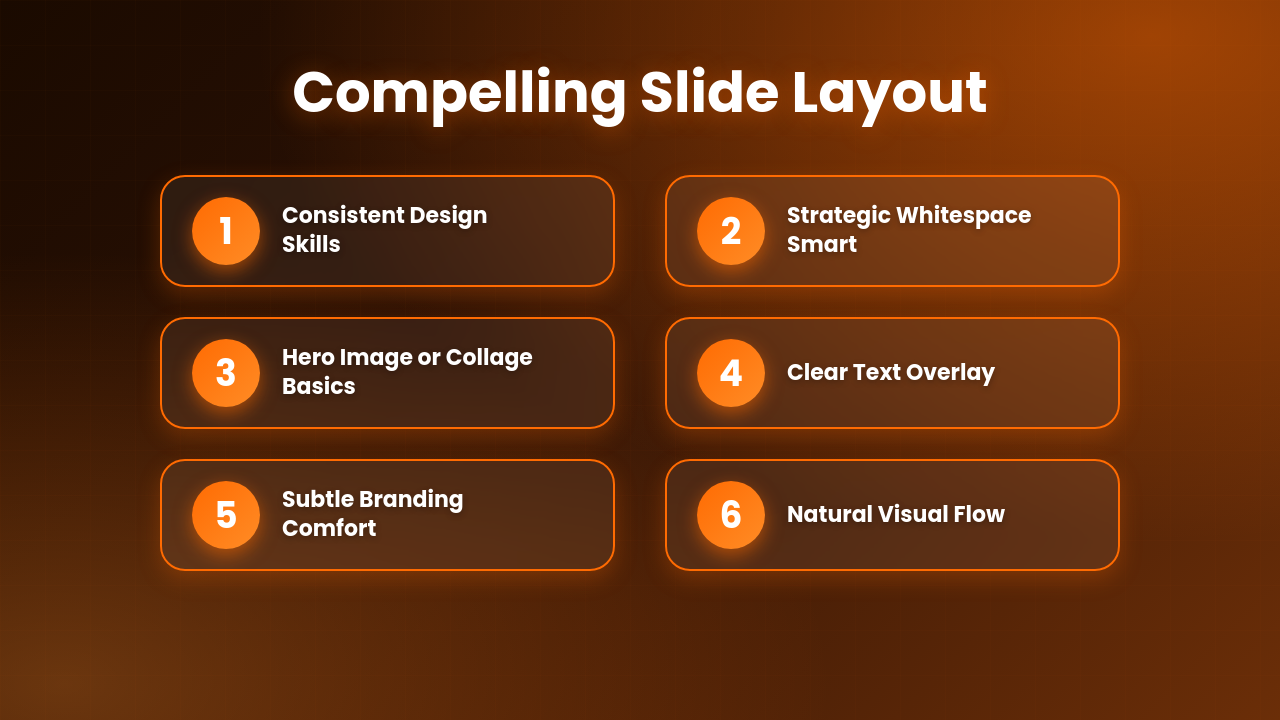
After capturing and refining your images, the next step is integrating them into a compelling narrative. This transition from image to story is vital.
Key Layout Best Practices
- Consistency is King: Ensure uniform sizing, borders, and placement for all images. This creates a professional appearance. PropQwik's 'all slide templates' help achieve this with built-in design consistency.
- Strategic Whitespace: Do not overcrowd your slides. Give images and text enough room to breathe. This enhances readability and visual appeal. It makes the slide feel less busy.
- Single Dominant Image vs. Collages: Decide when to use a powerful hero shot. For example, a single, impressive exterior view. Consider when to group multiple images for context, such as floor plans or interior shots of various rooms.
- Text Overlay & Captions: Integrate descriptive text without obscuring key visual information. Pay attention to fonts, sizes, and contrast. The text should complement the image, not compete with it.
- Branding Integration: Subtly incorporate your brokerage's logo and color palette. This maintains brand identity across all your presentations. PropQwik's PowerPoint generation includes branded templates, simplifying this step.
- Visual Flow: Arrange images in a way that naturally guides the viewer's eye. This supports your presentation's narrative and makes it easier to follow.
Key Takeaways for Slide Layout:
- Consistency: Standardize image size and placement.
- Clarity: Use whitespace effectively.
- Purpose: Choose between single impactful images or informative collages based on your message.
- Integration: Blend text and branding seamlessly with visuals.
- Guidance: Arrange elements to create a natural visual flow.
PropQwik: Your Ultimate Partner in Presentation Perfection
From the moment you arrive on a listing page, PropQwik stands as your indispensable tool. It seamlessly handles the entire process. PropQwik goes from quickly extracting listing photos to slide preparation and full presentation generation.
PropQwik's unique selling propositions are clear. It offers one-click data and automatic image capture from major CRE listing sites. The platform instantly generates professional, branded PowerPoint presentations via Gamma AI. These presentations incorporate your chosen images and data. PropQwik eliminates hours of manual copy-pasting. This allows CRE professionals like you to stop wasting time on repetitive data entry. Instead, you can focus more on closing deals and serving clients. The tool also includes connectivity add-ons like Google Sheets sync and Google Drive auto-save for ultimate workflow integration.
FAQs About Image Extraction & Presentations
Q: Does PropQwik extract listing photos to slide automatically?
- A: Yes, PropQwik automatically captures all visible listing images as part of its one-click data extraction. It then seamlessly integrates them into branded PowerPoint presentations.
Q: Can I customize the slide templates?
- A: PropQwik provides a variety of professional slide templates. These offer a strong foundation for customization while ensuring consistency and quality.
Q: What image formats are best for presentations?
- A: JPEG for photos and PNG for graphics or transparent backgrounds are generally best. They offer a good balance of quality and file size.
Q: How do I ensure my extracted images maintain good quality on slides?
- A: Always try to extract the highest resolution images available. PropQwik does this automatically. For manual edits, ensure you're not overly compressing or resizing them to a very small scale.
Q: Is it important to brand my CRE presentations with my company logo?
- A: Absolutely. Branding strengthens your professional image and builds trust. PropQwik's PowerPoint generation includes branded templates, making this easy.
Q: Can I use PropQwik for data extraction even if I only need text data?
- A: Yes, PropQwik extracts both structured data (text, numbers) and images with its one-click feature, allowing you to choose what you need for your reports or presentations.
Conclusion: Empower Your Presentations, Close More Deals
Mastering the conversion of listing photos into slide-ready images is now a streamlined process. By using powerful automation like PropQwik and understanding essential manual techniques, you can create visually stunning, deal-clinching presentations. Intelligent cropping and effective layout are key. You will achieve this with unprecedented efficiency. Elevate your commercial real estate game. Make every visual count.

